For structured planning, Microsoft Visio speeds repeatable pages using Templates and Snap-and-glue alignment to keep spacing tidy as diagrams grow. Edits are quick when steps change, helping keep notation consistent across teams without forcing one look. The tradeoff is upfront time to set standards so large diagram sets stay clean in busy team environments.
Keeping process maps consistent across teams
Microsoft Visio works like a modeling engine: you define steps, decisions, and ownership, then connect them into a flow that matches how work actually runs. BPMN and UML stencils help keep notation standardized for technical docs, and AutoConnect speeds up common patterns without breaking structure. The upside is diagrams stay consistent across reviewers; the downside is that strict standards can slow quick sketches. For formal workflows, it’s easier to maintain than a generic drawing app and more precise than freeform whiteboards. It also suits long-lived documentation that gets revised often.
For diagrams that must reflect real data, Data linking can attach shapes to fields so updates roll through without manual edits, which helps keep diagrams tied to changing source tables. Diagram validation adds a sanity check for rule-based diagram types, reducing silent mistakes before sharing. Performance stays steady as pages grow, but discipline still matters: messy naming and inconsistent conventions can make a diagram hard to audit. Compared with Lucidchart or diagrams.net, the workflow leans more toward governance and repeatability than quick brainstorming when multiple teams inherit the same files.
As diagrams get dense, Layer management helps separate audiences, letting technical detail live behind a simplified view without duplicating pages. For distribution, Export to PDF and SVG keeps layouts stable for approvals, documentation, and wikis where editing isn’t needed. The benefit is clean handoff across tools; the drawback is that export-heavy workflows can hide stale sources if updates aren’t governed. If a team prefers a lighter canvas, draw.io can be faster, but it may take more manual work to enforce consistent notation over time across large organizations.
Modern interface and expanded diagram resources
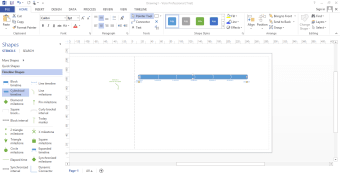
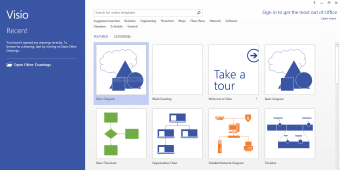
Recent releases such as Visio 2024 introduced a modernized interface aligned with the latest Office design language, giving diagrams a cleaner workspace and improved visual clarity. Updated themes, transparency effects, and a redesigned search bar help users locate shapes faster, reducing friction when building complex diagrams across large projects. Expanded shape libraries and industry-specific templates now support cloud infrastructure, engineering, and software architecture workflows, allowing teams to start with structured foundations instead of blank canvases. These additions reinforce Visio’s role as a professional documentation environment rather than a simple drawing tool.
Web collaboration and infinite canvas workflows
Microsoft has continued improving Visio for the web, adding features like Infinite Canvas, which removes page-size limitations and allows diagrams to grow naturally as ideas expand. Teams can also build mind maps directly inside Visio, blending structured diagramming with brainstorming workflows. Combined with live co-authoring and Teams integration, multiple contributors can edit diagrams simultaneously, making Visio more viable for distributed teams compared to earlier desktop-only workflows. These updates shift Visio closer to collaborative whiteboard tools while preserving structured notation standards.
AI assistance and smarter diagram creation
Newer roadmap developments highlight AI-powered diagram suggestions, where Visio can recommend logical next shapes or flow steps based on diagram context. This reduces manual layout decisions and speeds up the creation of flowcharts, org charts, and system diagrams. Real-time autosave, improved commenting, and smarter collaboration behaviors further align Visio with Word and Excel’s cloud-first workflow. The result is a diagramming experience that increasingly emphasizes automation and assisted design, helping teams focus more on process logic than formatting mechanics.
Security lifecycle changes and upgrade direction
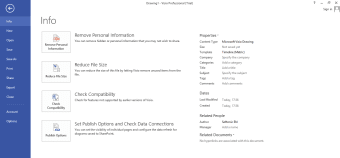
Microsoft has also clarified the long-term direction of the platform, announcing end-of-support timelines for older Visio versions, encouraging migration toward Microsoft 365 or Visio 2024 editions. Newer versions introduce enhanced security protections, compliance tooling, and rights management, helping organizations safeguard sensitive process diagrams. At the same time, deeper integrations with Power BI, Power Automate, and Teams strengthen Visio’s position inside enterprise workflows. Upgrading is increasingly tied to collaboration, security updates, and cloud connectivity, not just new drawing features.
A dependable choice for technical diagrams
Microsoft Visio is a strong fit for teams that need diagrams to stay accurate, standardized, and easy to maintain as processes evolve. Its structured approach supports dependable documentation, clearer reviews, and smoother handoffs for complex workflows and system planning. It’s recommended for professionals who want repeatable diagram sets with predictable results, especially when multiple stakeholders rely on the same visual source of truth over time. Best when clarity and governance matter.